The Customer Kit is a utility for Daisenryaku II Campaign Version, Micro Cabin's modern-warfare hex strategy game for MSX2. It was sold through TAKERU, Brother's software vending machines in Japanese shops. The kit builds new game disks, edits unit data and graphics, and moves units and maps between disks.
WHAT IS TRANSLATED
- Every screen of the kit: menus, prompts, labels, dialogs and help text, in full words wherever they fit.
- A new text renderer: the original drew every character in an 8-pixel cell, which made English hard to read. Text now uses a proportional font with a matching bold lowercase, centered or aligned the way the Japanese layout was.
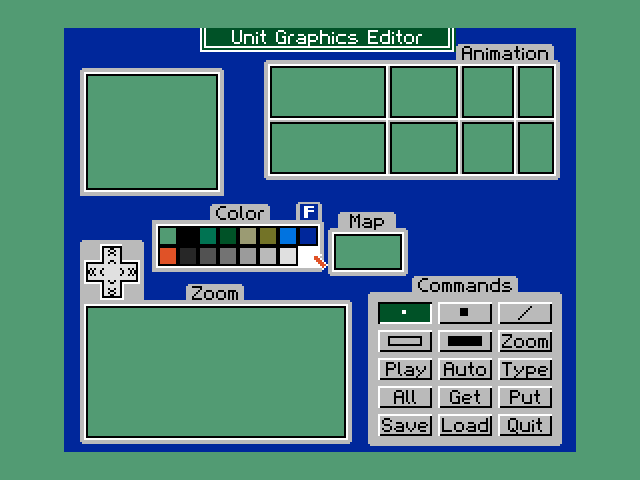
- The Unit Graphics editor: its screen is a compressed picture, so its title, panel tabs and buttons were redrawn in English.
- Names from data disks: unit and map names are shown proportionally, and map titles wrap at word boundaries.
- Disk B data: the unit library, map names and faction names are in English. These names are copied onto the game disks you create, so they only use characters the game's own font can show.
REQUIREMENTS
- An MSX2, MSX2+ or MSX turbo R (or openMSX) with a disk drive.
- A mouse in joystick port 2 for the Unit Graphics editor and the Graphics Converter.
- Blank 3.5" 2DD disks for the disks the kit creates, and the Daisenryaku II disks the kit asks for.
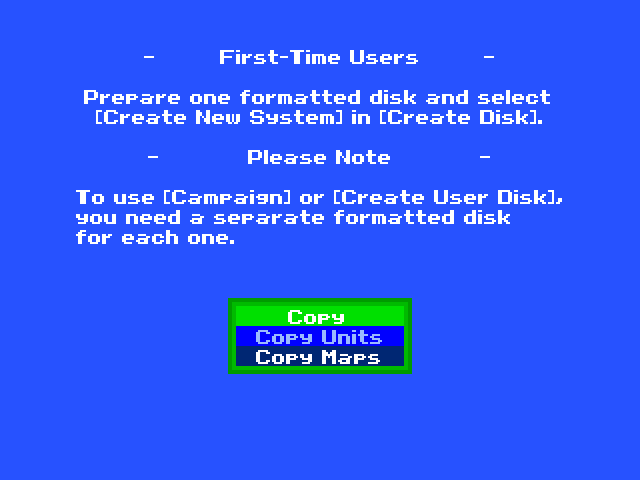
Boot Disk A. The main menu shows two notes:
- first-time users should prepare one formatted disk and choose Create New System in Create Disk;
- Campaign and Create User Disk each need their own formatted disk.
Disk B is the kit's library: unit data and maps that the kit copies onto the disks it creates.
CONTROLS
Use a joypad or the keyboard: A (SPACE) confirms and B cancels or goes back. Prompts say which button to press and when to swap disks. The two graphics tools are used with the mouse.
MAIN MENU
- Create Disk
- Create New System builds a new Daisenryaku II system disk. Create User Disk prepares a disk for your own units and maps. Campaign 1 and Campaign 2 write campaign disks, and Copy Disk duplicates a disk. The kit asks for each disk in turn: the Customer Disk, the source and destination disks, or a formatted disk.
- Unit Editor › Parameters
- Edit a unit's data: name, move type, movement, fuel, defense values, what it can capture and carry, supply, price, and up to four weapons with ammunition, range and attack ratings against air, helicopter, vehicle, troop and ship targets. Units are loaded from and saved to a user or library disk.
- Unit Editor › Graphics
- A mouse-driven pixel editor for unit pictures, with an animation strip, palette, map preview, zoom view and drawing commands: dot, line, box, filled box, zoom, play, auto, type, all, get and put, plus save, load and quit.
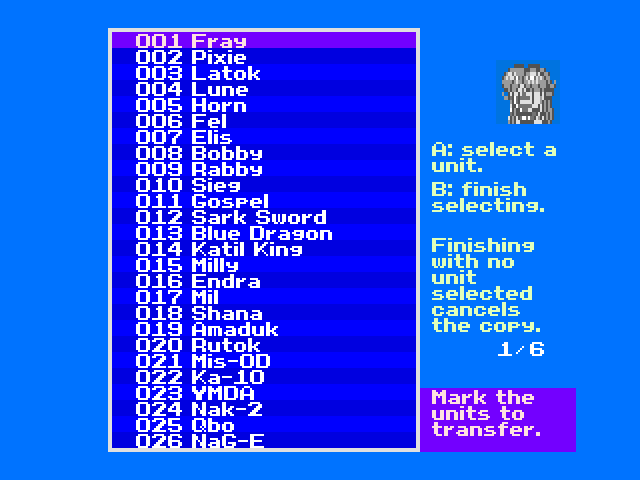
- Copy › Copy Units
- Choose the disks to transfer from and to. Mark the units in the list with A, finish with B, and confirm. The panel shows how many bytes over the limit a selection is.
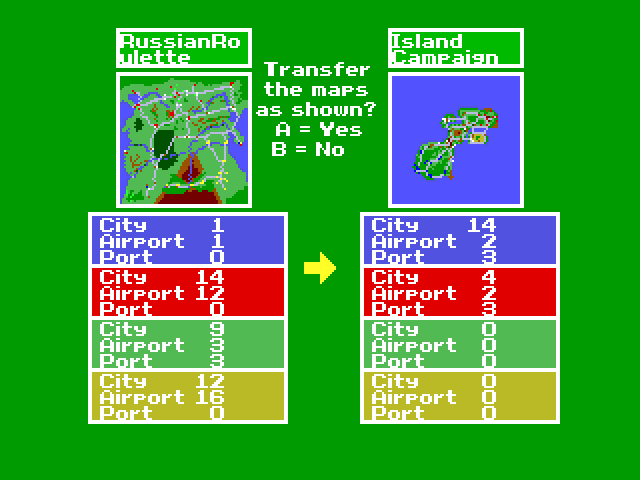
- Copy › Copy Maps
- Pick a map on the source disk (A shows it, A again confirms), then a slot on the destination disk. A summary compares the two maps' cities, airports and ports per side before you confirm the transfer.
- Other › Graphics Converter
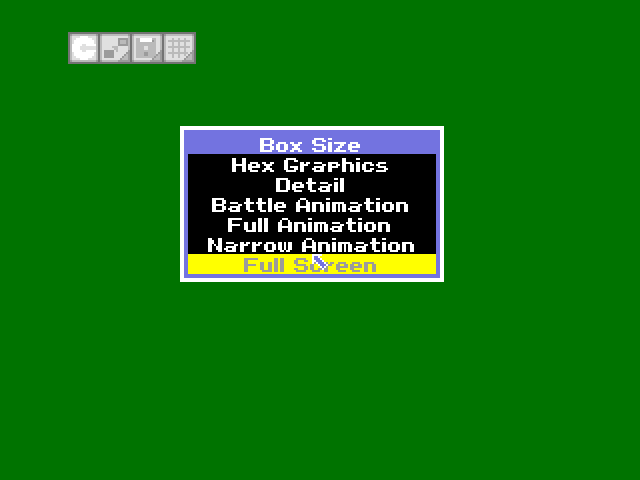
- A mouse-driven converter for screen graphics. It has a Disk Menu (load, save), a Sub Menu (step size, palette changes), a palette mode (Real Fight or Game Map), the data format (GE5 or SR5) and the size of the box to convert: hex graphics, detail, battle, full or narrow animation, or the full screen.
- Other › Replace Hex Graphics
- Copies a set of hex (map terrain) graphics onto a new system disk: with or without frame, Fantasy, Future, Campaign 1 or Campaign 2.
Emulator tip: openMSX needs a mouse in port 2 for the two graphics tools (console command plug joyportb mouse).
- Daisenryaku II Campaign Version and its Customer Kit are © 1993 Micro Cabin. Daisenryaku is a trademark of SystemSoft. This is an unofficial fan translation, not affiliated with or endorsed by either company.
- Only patches are distributed. You need your own copies of the original disks.
- The Unit Graphics editor labels use glyphs from the Luett/8 font by Nico Bendlin, licensed under the SIL Open Font License 1.1. The license and notice are included with the patch.
- Translation, renderer and tools: the Daisenryaku II Customer Kit translation project.